Before
- Request and wait for a developer-generated sheet.
- Copy, reshare, explain, and track the file manually.
- Review and import the completed work.
I joined a content team and gradually turned a spreadsheet-based translation workflow into a self-service product for contributors, managers, and reviewers across an operational footprint of about 75 languages.
~75
languages in the operational footprint
~40
contributors provisioned in the platform
~70-80%
estimated reduction in per-language translation administration
Thousands
of new translations completed
Embark is a language-learning app used by missionaries. Its current operational footprint is about 75 languages. When I joined the Content Team, the translation operation behind it was organized through 72 separate Google Sheets.
Every language had its own columns, tabs, formulas, and instructions. A normal project required someone to request a file, wait for a developer to create it, move it into a shareable folder, train a contributor, follow up, and import the finished work. IDs or columns could disappear along the way, and managers had no simple view of stalled work.
I started by fixing the parts of that process that frustrated me most. Those early changes earned trust, and my role gradually expanded from content work into product ownership and hands-on development. I now function as product owner, Scrum Master, and developer for the internal language tools, while coordinating delivery across supervisors, developers, and 2 direct reports supporting about 20 languages.
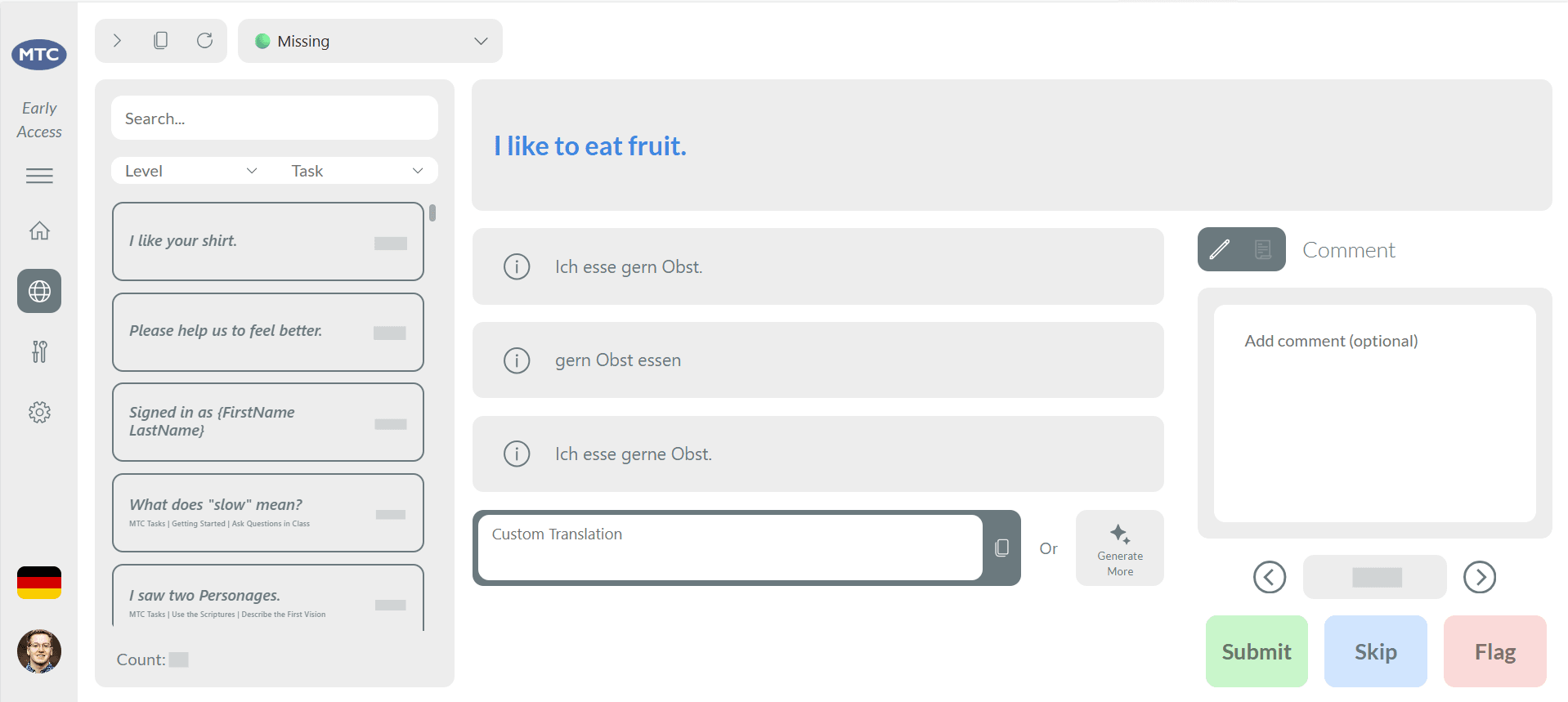
My first improvements stayed inside the existing workflow. I added clearer context, translation suggestions from several services, dropdowns, and one-click tools for creating and importing missing-translation sheets.
I also automated an audio upload process that required AWS authentication and several technical steps. What had taken about an hour could now be started with a recording link and completed in seconds. I treat that audio improvement separately from the translation administration estimate because the two workflows have different baselines.
The tools saved time, but they also made the larger limitation harder to ignore. Better spreadsheets could not remove the manual setup, file transfers, imports, and technical knowledge required for every project. We needed a shared system, not another layer of spreadsheet automation.
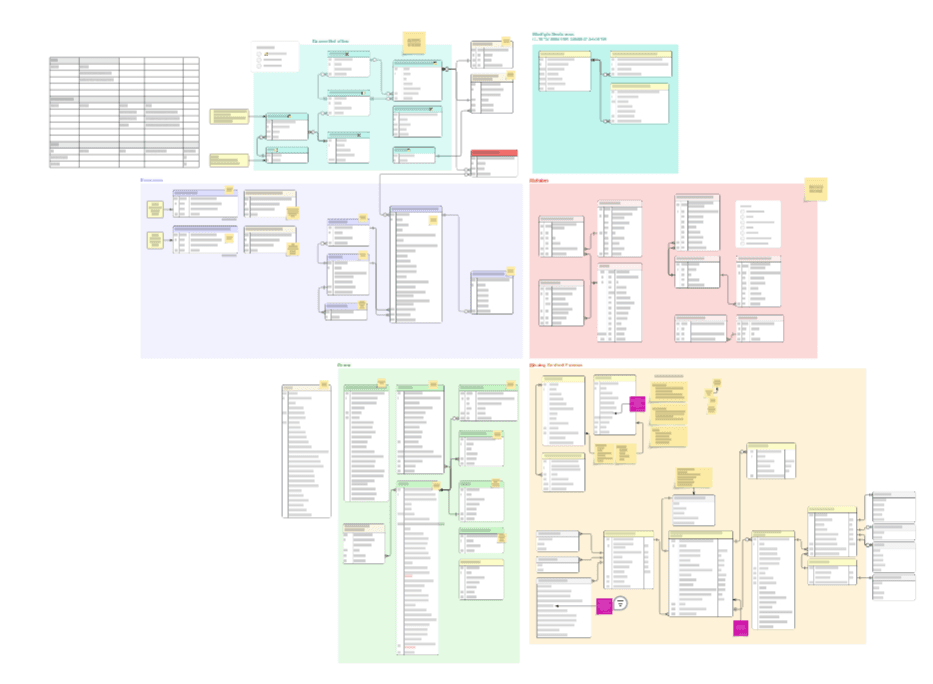
The team chose Microsoft Dataverse as the new foundation. I helped design the relational model, then built a Python migration process that collected the language sheets, reconciled inconsistent columns, and split the content into connected tables for translations, contributors, languages, reviews, audio, and workflow status.
The Contributor App now finds missing translations automatically and gives the right work to the right contributor. Teachers can review context and suggestions, submit translations, leave comments, flag questions, compare alternatives, and help with audio without waiting for a new spreadsheet.
We deliberately started with missing translations because they block audio and later review work. We also chose to build a workflow rather than a simple form, which meant handling assignments, conflicts, progress, review, and exceptions. Combining related work on one contributor screen made the product easier to understand, although it also created performance work as the app grew.
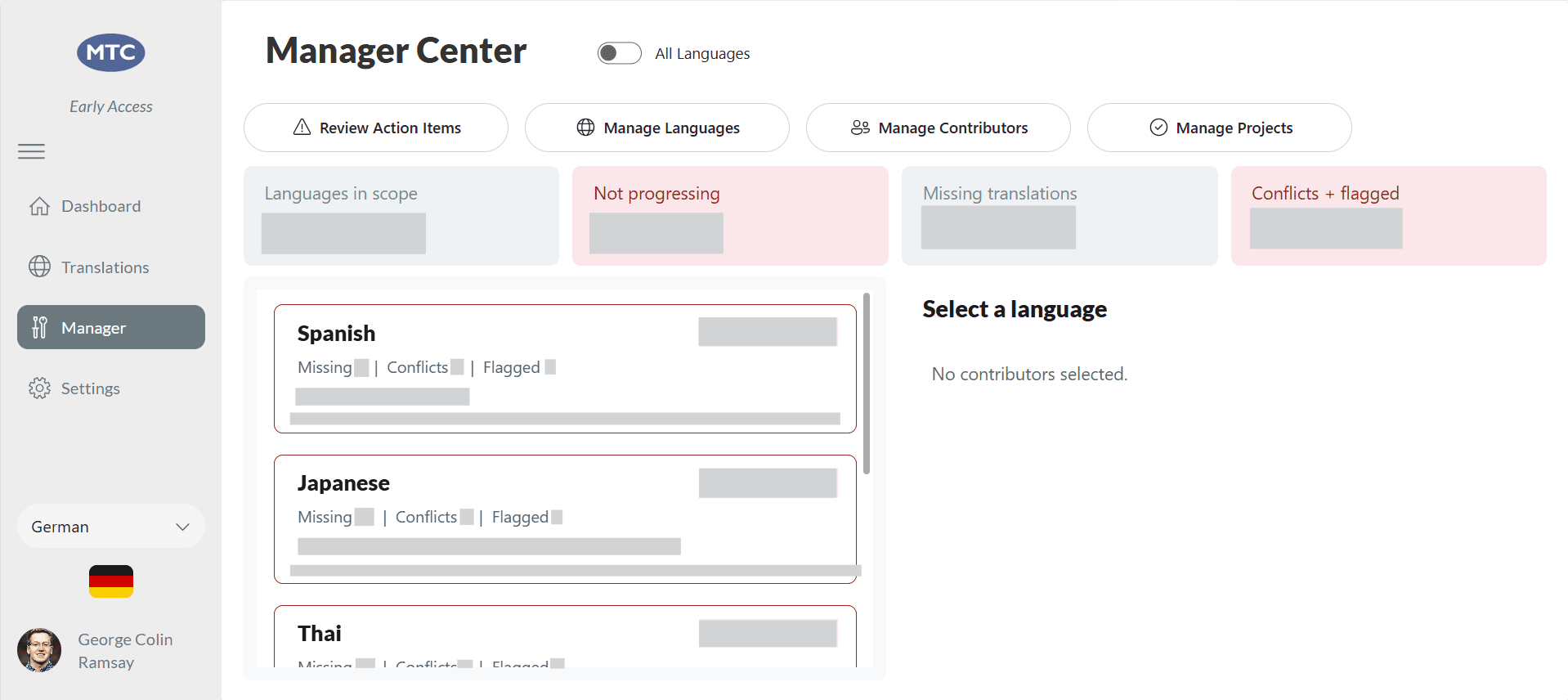
The manager experience grew from the same operational problems. It surfaces language progress, contributor activity, stalled work, flagged questions, conflicting submissions, and high-priority items. A notification system has accumulated about 1,500 actionable records and routes issues to the manager responsible for that language instead of allowing errors to disappear inside an automated flow.
Power BI gives the team a second view of the operation. One frequently used report shows missing audio by language, broken down by total, male, female, and article-specific recordings.
The app launched on August 14, 2025. The broader language operation now spans about 75 languages, and about 40 contributors have been provisioned in the platform. Active participation varies by project cycle, so I keep provisioned contributor scale separate from any point-in-time active count. Contributors have completed several thousand new translations through the system, while the wider review process has processed about 18 million translation records and evaluations.
A missing-translation project previously required repeated internal setup, transfer, follow-up, and import work for each language. Reconstructing the old and new process from the team's normal workweek produced an estimated reduction of roughly 70-80% in per-language translation administration. I use that bounded estimate rather than combining translation and audio savings into one headline number.
One flow checked whether edited translations still matched their audio. I tested it, released it quickly during the Christmas period, and moved on. An edge case later caused the flow to trigger itself and detach audio that should have remained connected.
The audit history made recovery possible, and I built a repair flow to restore the affected audio. The deeper lesson was that testing should match potential impact. An automation that can touch the whole database needs a staged release, monitoring, and deliberate follow-up even when its logic appears simple.
This project also changed how I think about internal products. Their value often comes less from visible features than from clean data, reliable handoffs, clear status, and fewer moments when one person must coordinate routine work for everyone else.